
Run manufacturing on real numbers.
Batchy keeps inventory, production and shipments in one place — every lot, every warehouse, every document traceable to the person who posted it. No spreadsheets in between, no month-end guesswork.
- Lot & warehouse
- level stock
- Builds & process
- runs with yield
- Two-way
- Zoho Books sync
- Full
- activity trail

Fundamentals
Manufacturing, reduced to four simple habits
No modules to configure for weeks. Receive material, make product, move it, ship it — Batchy keeps the numbers honest along the way.
Know exactly what you have
Stock is tracked per item, per warehouse and per lot. Open an item and see every movement that made its balance what it is.
Turn inputs into outputs
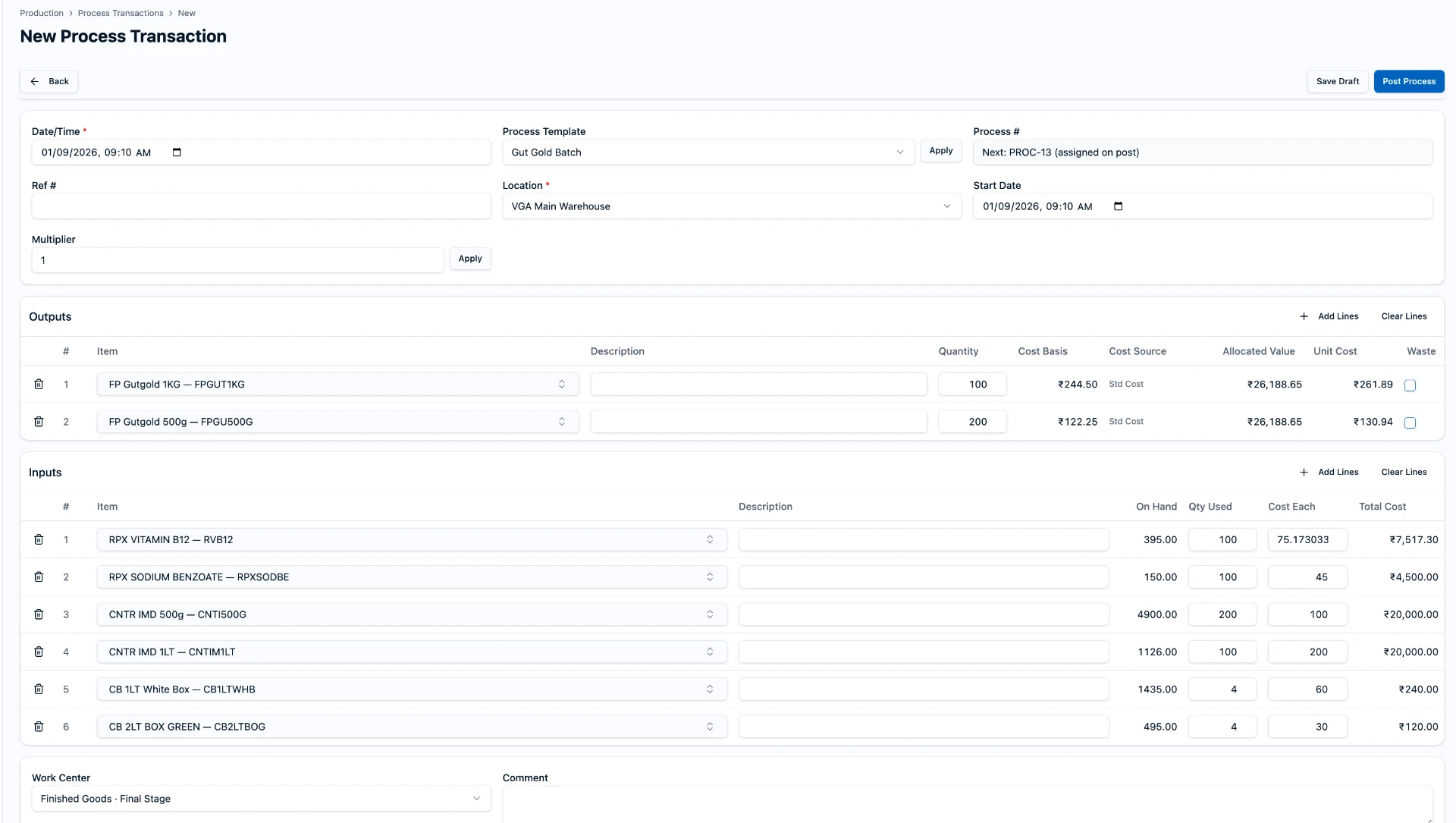
Record what was consumed and what came out. Batchy does the costing, the lot allocation and the balance updates for you.
One document per action
Receipts, transfers, adjustments, builds, process runs, shipments and invoices each get a permanent number you can find again.
Everyone sees the same numbers
Roles keep production, purchasing and sales in their own lanes, while an activity log records who changed what and when.
The one distinction that matters
Build or Process?
Both create stock. The difference is how predictable the recipe is — and whether quality and yield need watching.
Build
Assemble a finished item from a fixed bill of materials. Components go in, one product comes out, and the quantities are known before you start.
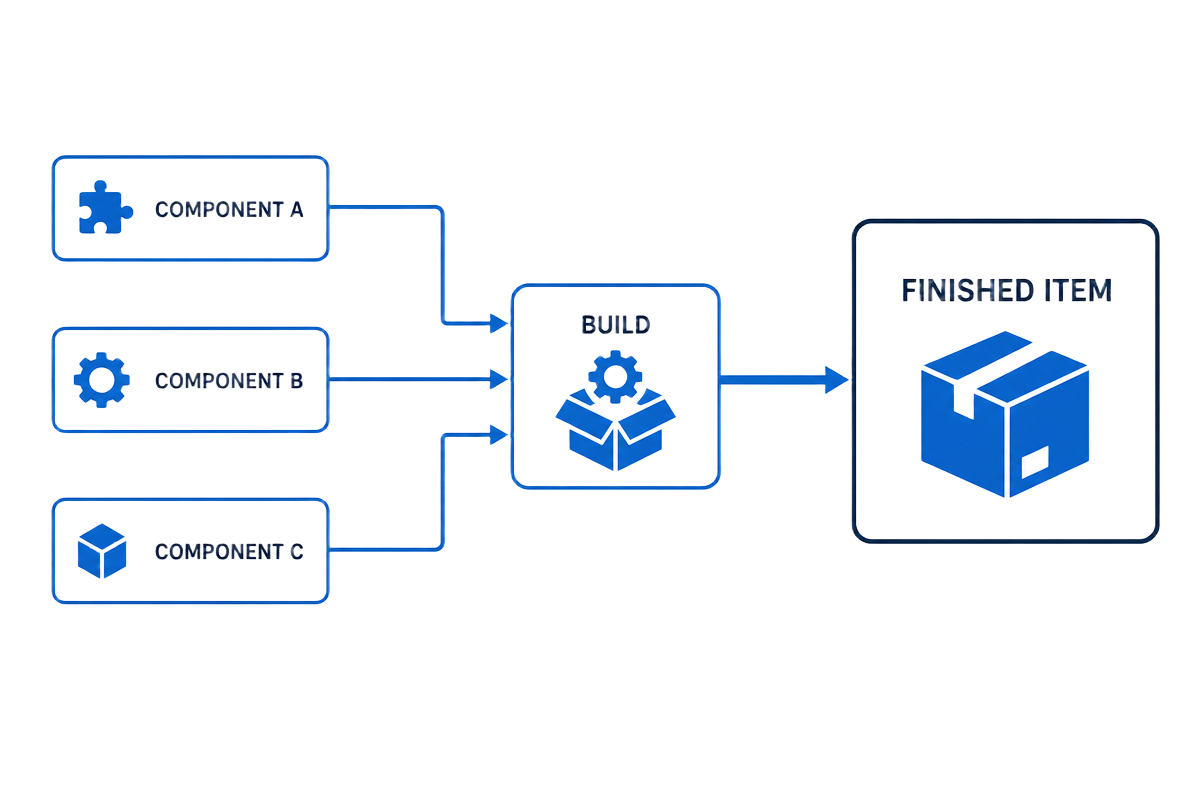
- Pick the assembly and the quantity
- Components are consumed from the BOM
- Finished item lands in the chosen warehouse
Process
A production run that transforms material at a work centre. Inputs are consumed as they were actually used, and outputs — including by-products — are recorded with their real yield, lot numbers and QC result.
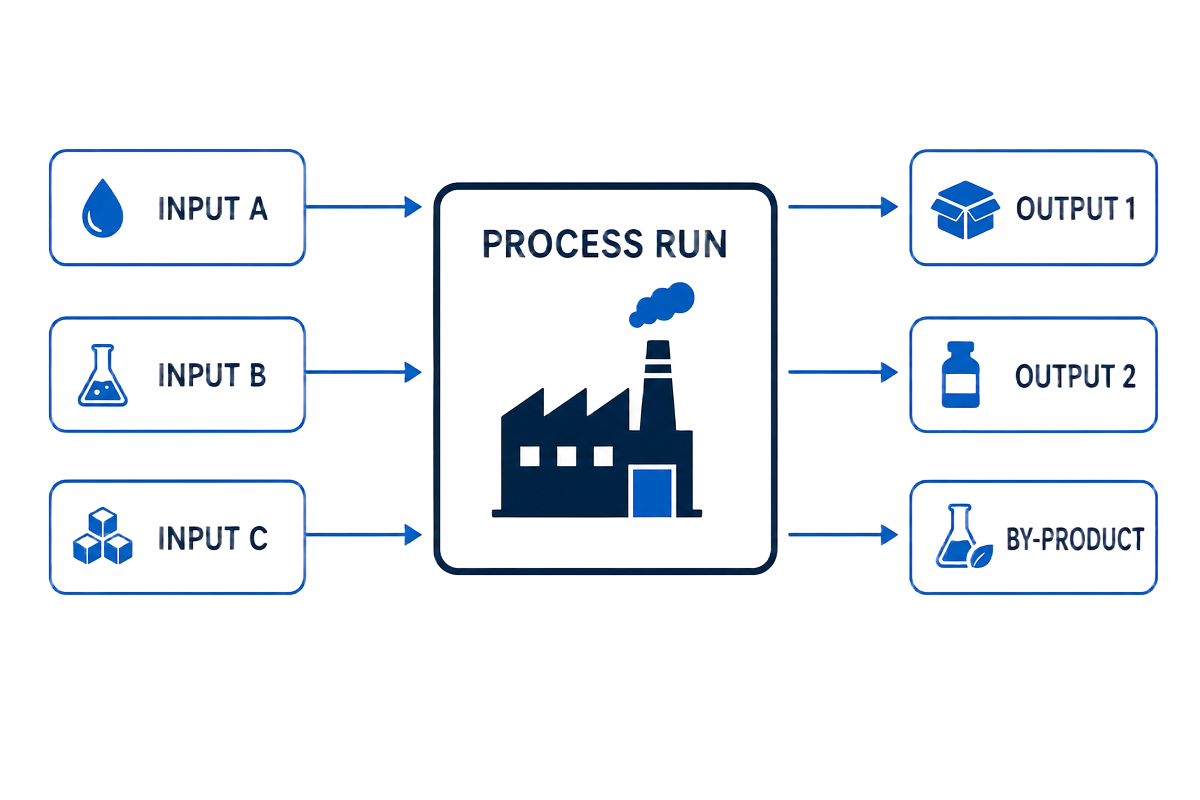
- Operator, work centre and process date on every run
- Actual input and output quantities with yield
- Batch numbers and QC hold before release
| Build | Process | |
|---|---|---|
| Recipe | Fixed bill of materials | Formula or work-centre routing |
| Inputs | Component items in known quantities | One or more materials, quantities can vary |
| Outputs | One finished assembly | Main output plus by-products |
| Yield | Assumed 1:1 against the BOM | Actual yield recorded against expected |
| Lots | Consumes component lots | Consumes and creates batch/lot numbers |
| Quality | Usually not needed | QC status and holds before release |
| Typical use | Kits, packs, assembled goods | Blending, filling, cooking, refining |
Sub-assemblies
Supports BOMs within BOMs
Real products are built in stages: raw materials become a batch, the batch becomes a filled bottle, the bottle becomes a pack. Batchy models that hierarchy natively.
BOMs inside BOMs
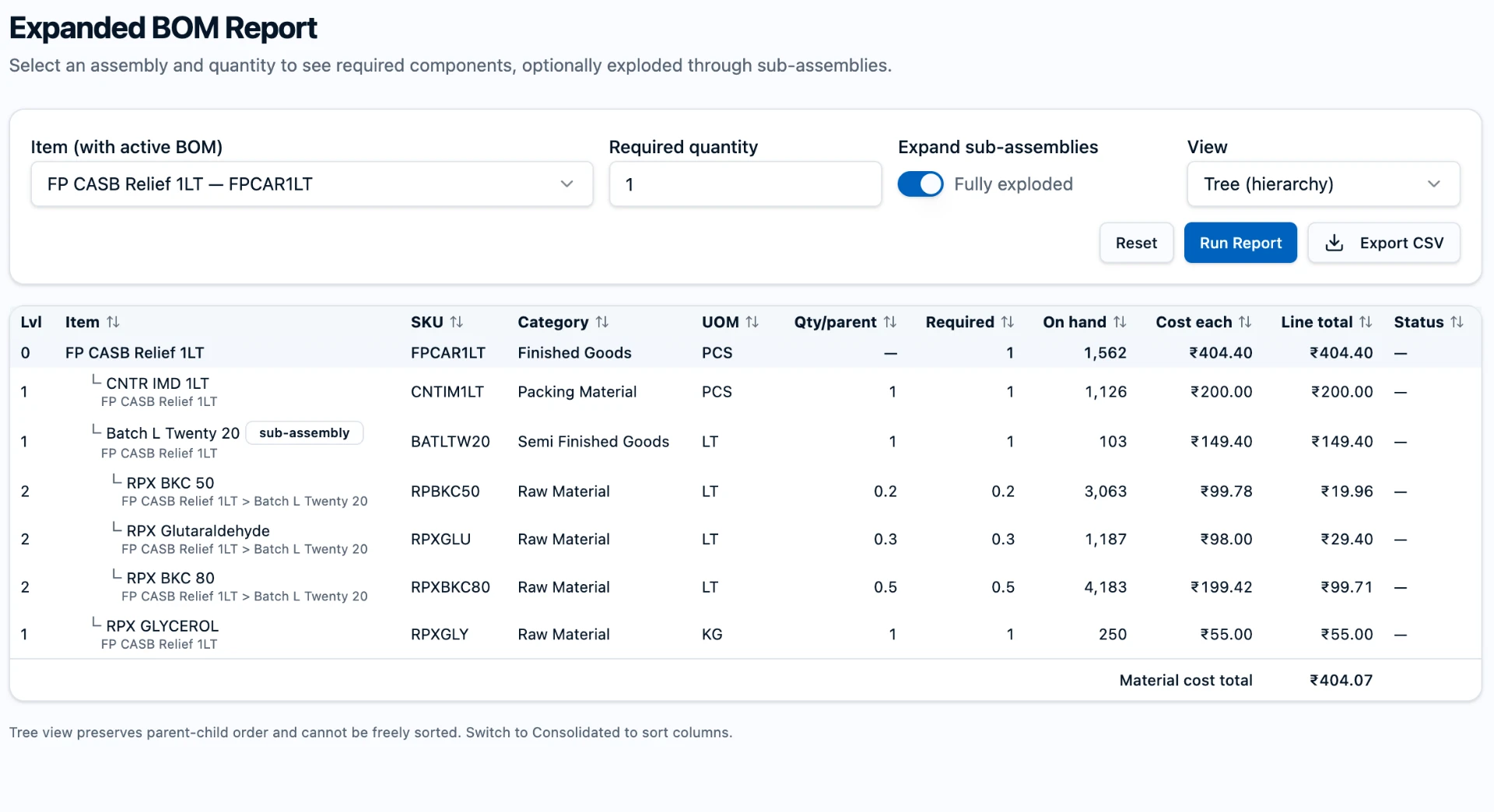
A component can itself be an assembly with its own recipe. Nest semi-finished goods as deep as your product really goes — no flattening, no duplicate recipes to maintain.
Fully exploded in one click
The Expanded BOM report walks every sub-assembly and shows the true raw-material requirement for the quantity you plan to make.
Rolled-up cost and availability
Each level carries its own cost each and line total, rolling up to a material cost total, with on-hand shown beside every requirement so shortages are obvious.

Perfect cost allocation
Every rupee follows the material
Quantities and money stay joined at the hip, from the lot you consumed to the invoice you raised.
Inputs valued as they were really consumed
Each consumed lot carries its own cost. Batchy uses the actual weighted-average value of the stock you picked, not a standard price.
Split across every output by yield
One process run, several outputs: the total input cost is apportioned over main outputs and by-products from the quantities you recorded.
COGS that ties out
The cost that lands on a finished lot is the cost that leaves on the shipment — and the same figure your Zoho Books invoice reports.
Users & roles
Permission controls built for a real shop floor
Operators, buyers, sellers and owners share one set of numbers while each sees only what their job needs.
Four clear roles
Admin, Production, Purchase and Sales. Users can hold more than one role, and access is simply the union of what those roles allow.
Modules stay in their lane
Production works on builds, process runs and BOMs; Purchase on vendors, orders and receipts; Sales on customers, orders, invoices and shipments. Stock they only need to read stays read-only.
Price visibility you decide
Purchase and selling price visibility is switched on per person. Production never sees any price, cost, margin or valuation — by design, not by setting.
Hide what shouldn't be seen
Specific items and process templates can be hidden from individual users, so proprietary recipes stay with the people who need them.
A permanent activity trail
Every create, edit and post is recorded with the user's name and time, readable as plain sentences on the document itself — and carried into Zoho notes.
Safe by default
Invitations are email-based, admins cannot change their own roles or lock themselves out, and permissions are enforced in the database, not just the screen.
| Role | Owns | Sees prices? |
|---|---|---|
| Admin | Every module, users & roles, settings, reports, data tools | Everything |
| Production | Builds, process runs, work orders, BOMs & templates | Never |
| Purchase | Vendors, purchase orders, receipts, returns to vendor | Purchase prices, when enabled |
| Sales | Customers, estimates, orders, invoices, pick tickets, shipments | Selling prices, when enabled |
Your accounting, your choice
Tightly integrated with Zoho Books — or fully standalone
Connect Zoho Books and the two systems stay in step, document by document. Prefer to keep Batchy on its own? Everything still works.
With Zoho Books
Zoho Books stays your financial source of truth; Batchy owns quantities, lots and item classification. Items, customers and vendors, purchase orders, bills, receipts, transfers, adjustments, invoices, shipments and payments flow both ways, with taxes and warehouse locations mapped to your Zoho setup.
- Guided first-time import of organisation, taxes, warehouses and items
- Every posted document carries the Batchy user's name into Zoho notes
- Parity reports flag any quantity or valuation drift between the two
- Payments recorded in Zoho reflect back on the Batchy invoice
On its own
Nothing about manufacturing waits on an accounting connection. Run inventory, production and fulfilment start to finish inside Batchy, and connect Zoho Books later without redoing your history.
- Complete inventory, purchasing, production and sales flow
- Warehouse-wise valuation and COGS reporting built in
- Import your opening stock from a spreadsheet to get going
- Connect Zoho Books whenever you're ready
Everything in one place
What you get on day one

Ready to see your real numbers?
Sign in to your company workspace, or ask your administrator for an invitation.